Overview #
This guide explains how to turn on or off (lock or unlock) domain Registrar Lock in the client portal.
When you turn on Registrar Lock, you can help prevent unauthorized domain transfers by third parties. If you need to transfer your domain, please change it to off beforehand.
Helps prevent unauthorized transfers by third parties. This is recommended for normal operations.
This setting is required before performing a domain transfer (Transfer Out).
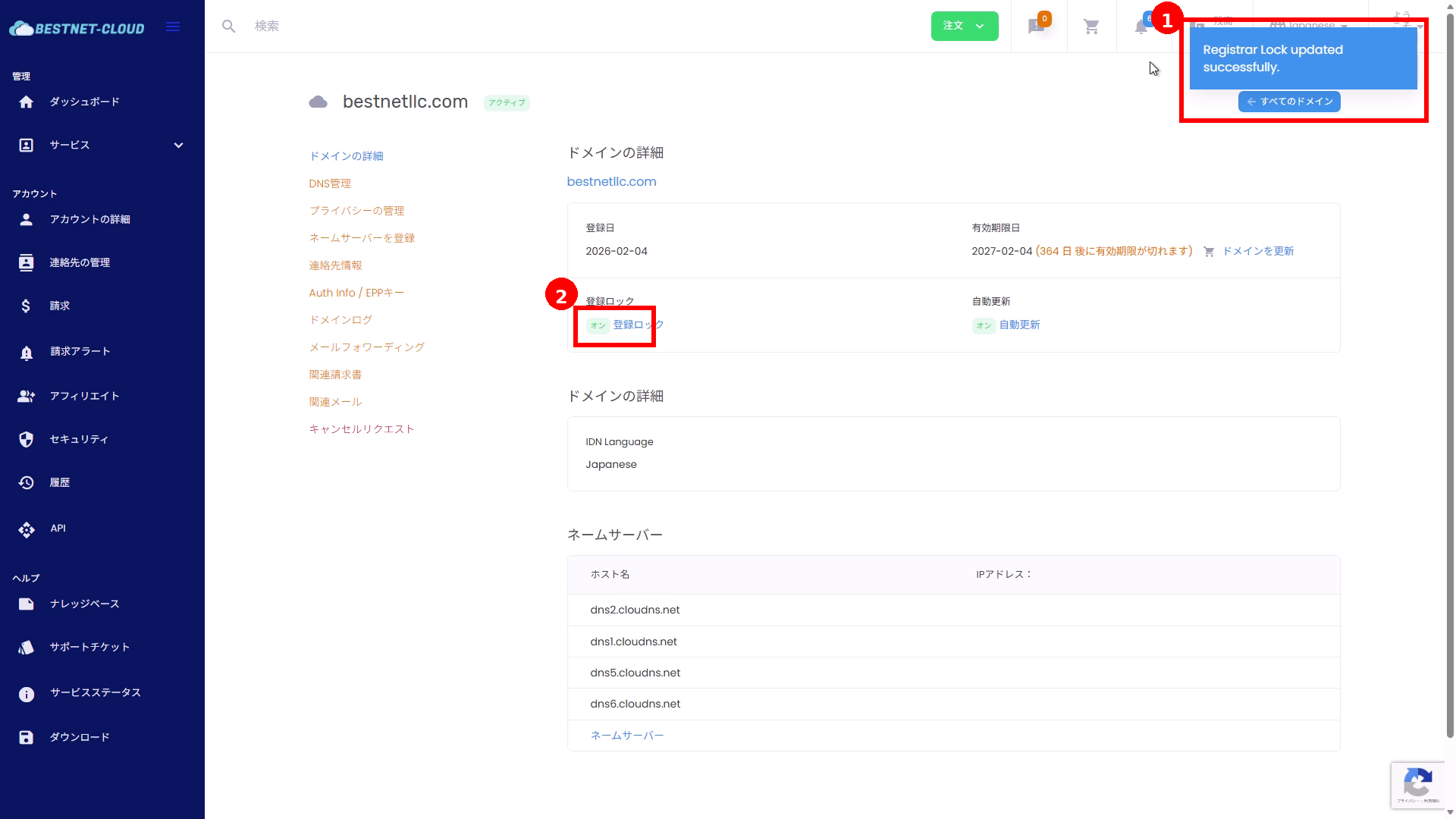
Verify that the save success message appears and the domain details display has been updated.
Prerequisites #
- You can log in to the client portal
- The target domain is in active status
- You are operating with administrative rights for the target domain (account holder account)
Operating Instructions #
1Open the target domain’s details screen #
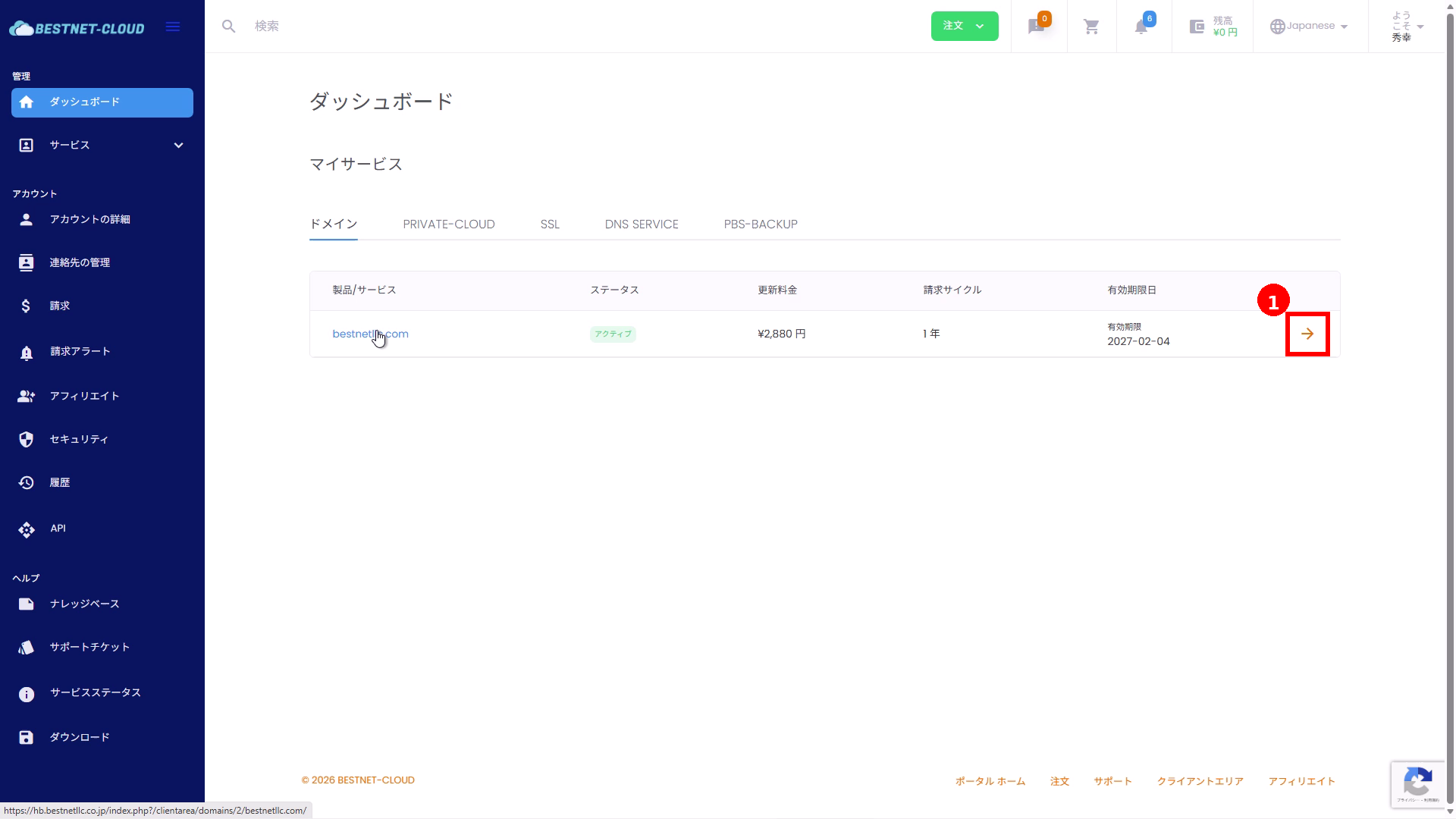
- Open the Dashboard in the client portal.
- In the Domain list under “My Services,” click the arrow (①) at the right end of the target domain.
※You can also open it by clicking the domain name link.
2Navigate to the “Registrar Lock” settings screen #
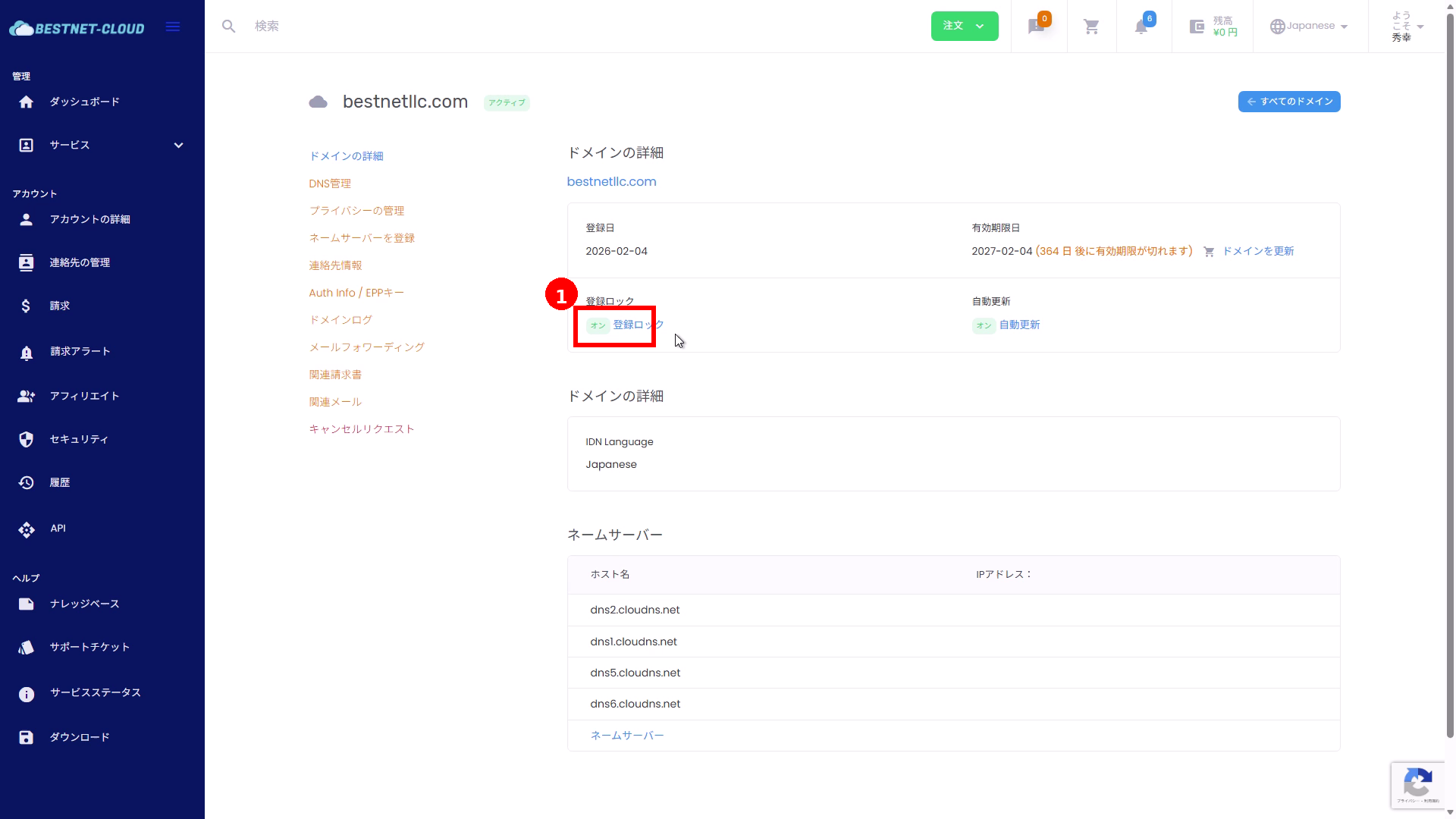
- Click on Registrar Lock (①) in the overview section at the top of the domain details screen.
3Change Registrar Lock (on/off) and save #
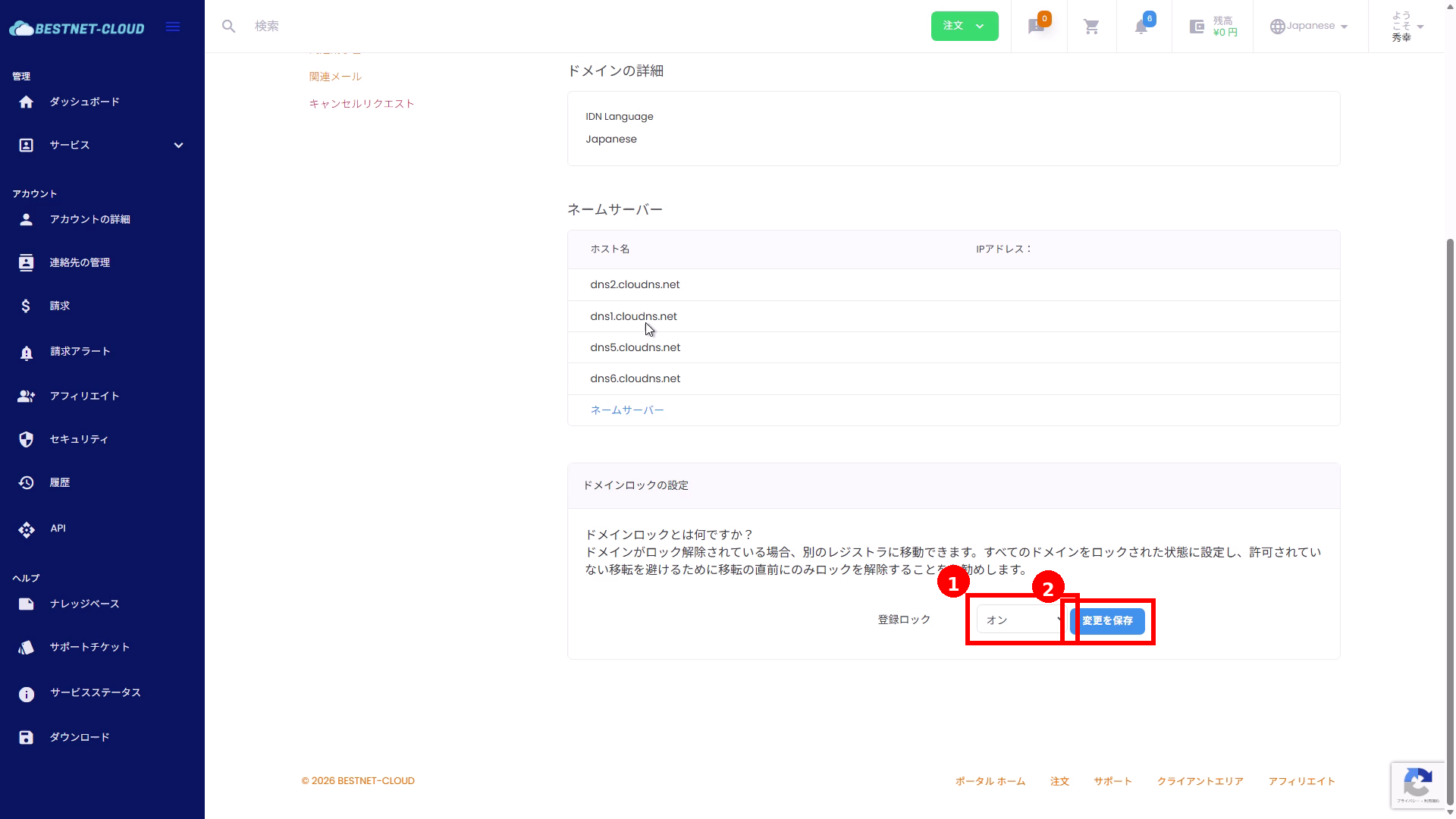
- In the “Domain Lock Settings” section, click the Registrar Lock dropdown (①).
- Select your desired status (on/off).
- Click “Save Changes” (②).
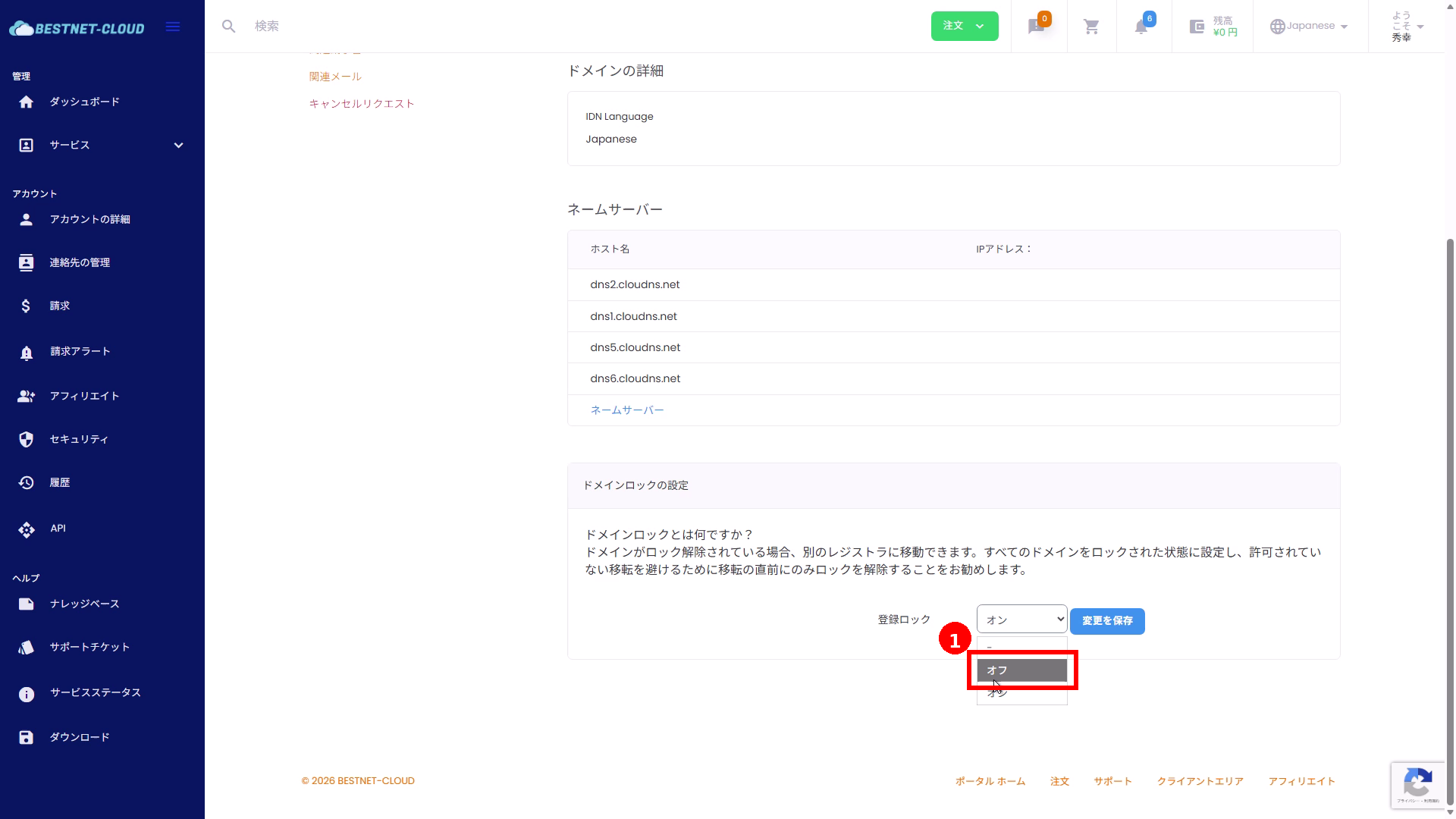
4(To unlock) Select “Off” #
If you need to unlock for domain transfer or other purposes, select “Off” (①) from the dropdown.
Confirming Changes #
- After saving, a Update Successful message (①) will appear in the upper right of the screen.
- Verify that the Registrar Lock status (②) in the domain details overview section has been updated to your selected setting (on/off).
Cautions #
For security reasons, we recommend keeping Registrar Lock on during normal operations.
If you need to transfer your domain, change it to off before starting the transfer process, and change it back to on after the transfer is completed.
Depending on the registry’s processing status, status changes may take time. If the display does not update, please try refreshing or reloading the page.
Troubleshooting #
No success message appears after saving / the status does not change #
- Please refresh or reload your browser.
- There may be a temporary communication or session timeout issue. Please log in again and try again.
- If the issue persists, please contact support with a ticket including the “target domain name,” “date and time of attempt,” and “desired status (on/off)”.
I cannot find the Registrar Lock change option #
- If the domain is not active (pending approval / in transfer, etc.), it may not be displayed or changeable.
- Depending on the target TLD or registrar specifications, there may be restrictions on portal operations.
Frequently Asked Questions #
What is Registrar Lock? #
It is a setting that restricts domain transfers. By turning it on, you can help prevent unauthorized transfers by third parties.
What can I do when Registrar Lock is off? #
Primarily, it enables you to proceed with domain transfer (Transfer Out). If you do not plan to transfer your domain, we recommend keeping it on.
※These are sample screens. Display items and text may vary depending on the portal theme, permissions, and TLD.