
Domain Registration Guide
This guide explains the procedure for registering a new domain through the client portal. The screens shown are examples.
Overview #
This guide explains the procedure for registering a new domain through the client portal. When applying, please enter your name, address, company name, and other information in the order screen and domain registration information in English (alphanumeric characters).
Preparation #
- You are logged in to the client portal
- You have decided on the domain name you want to acquire (e.g.,
example.com) - Prepare to enter contact information (name, address, company name, etc.) during checkout in English (alphanumeric characters)
Important
The registrant information (WHOIS / Registrant) entered in “Client Information” or “Domain Contact” on the order screen must be written in English (Romanized, alphanumeric characters).
If you register with Japanese characters, registration may fail due to registrar requirements.
Input Examples
- Name:
Taro Suzuki - Address:
1-1-1 Otemachi, Chiyoda-ku - City:
Tokyo/ State:Tokyo/ Postal Code:100-0004 - Country:
Japan
Domain Registration Procedure #
1Open the domain search screen #
From the “Domain” menu in the client portal, open “Bulk Domain Search”.
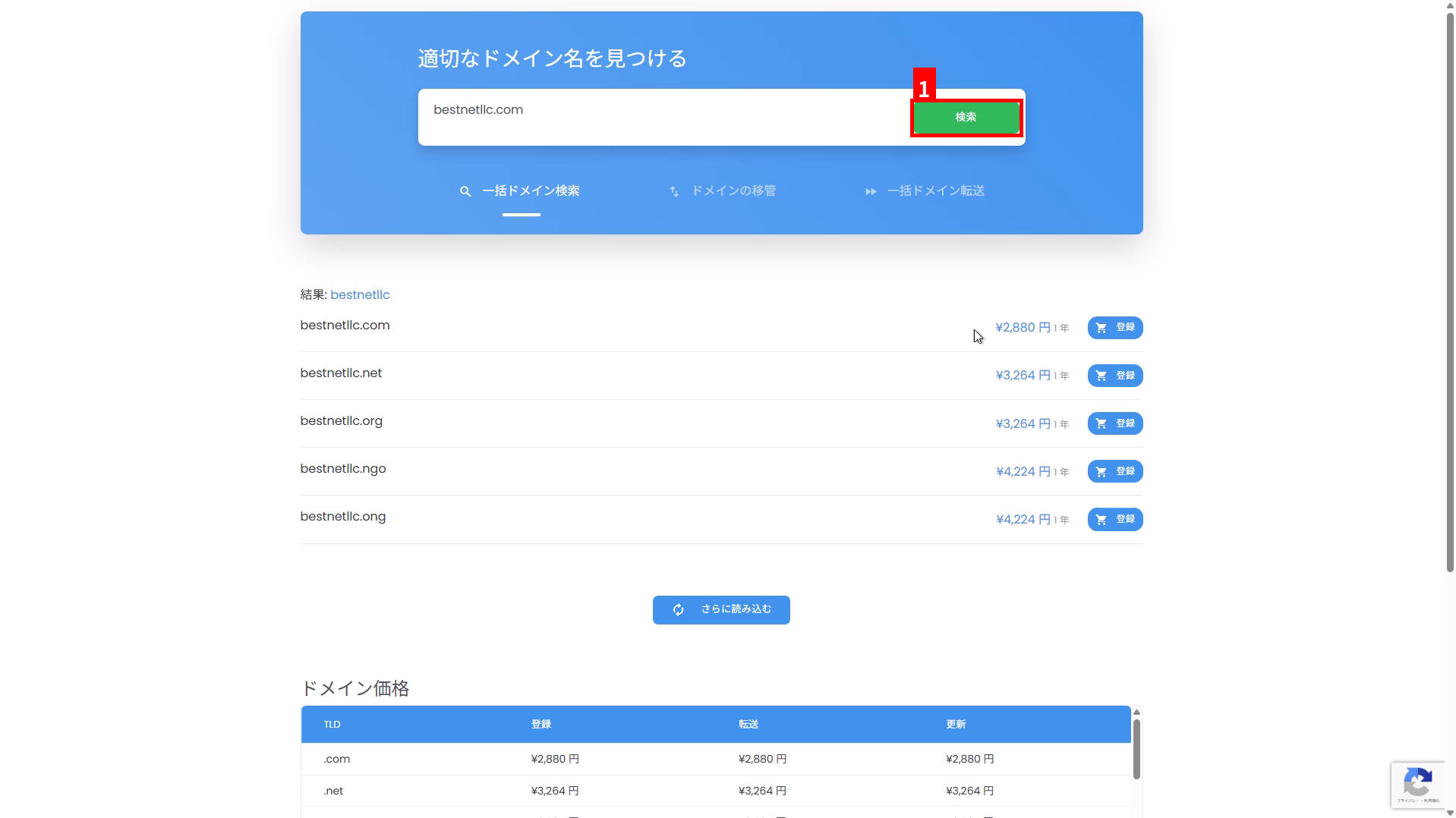
2Enter your desired domain name and search #
- Enter the domain name you want to acquire in the search field (e.g.,
example.com). - Click “Search” (①).
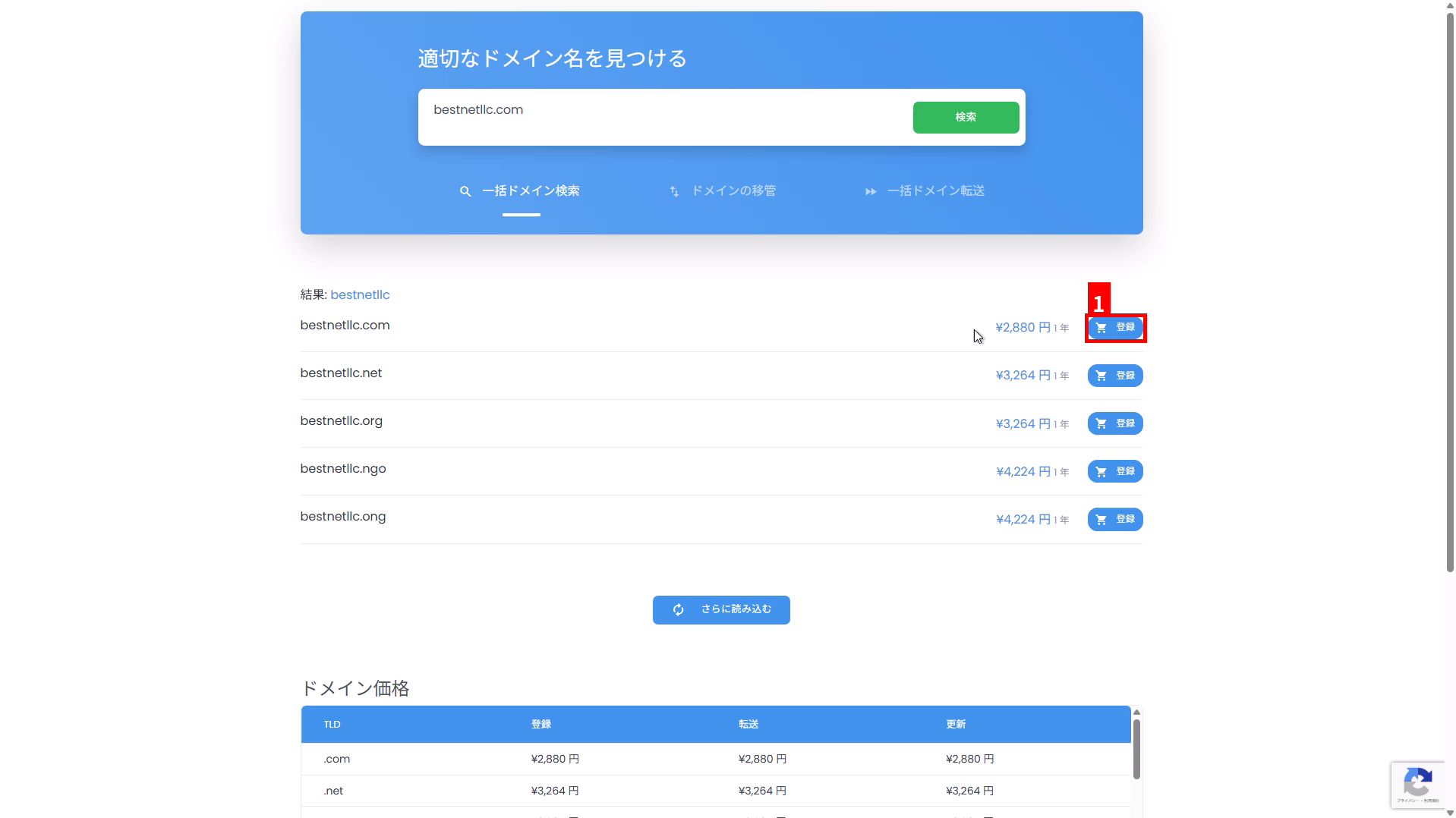
3Select your desired TLD from the search results and click “Register” #
- Select the domain (TLD) you want to acquire from the candidates displayed in the search results.
- Click “Register” in the corresponding row (①).
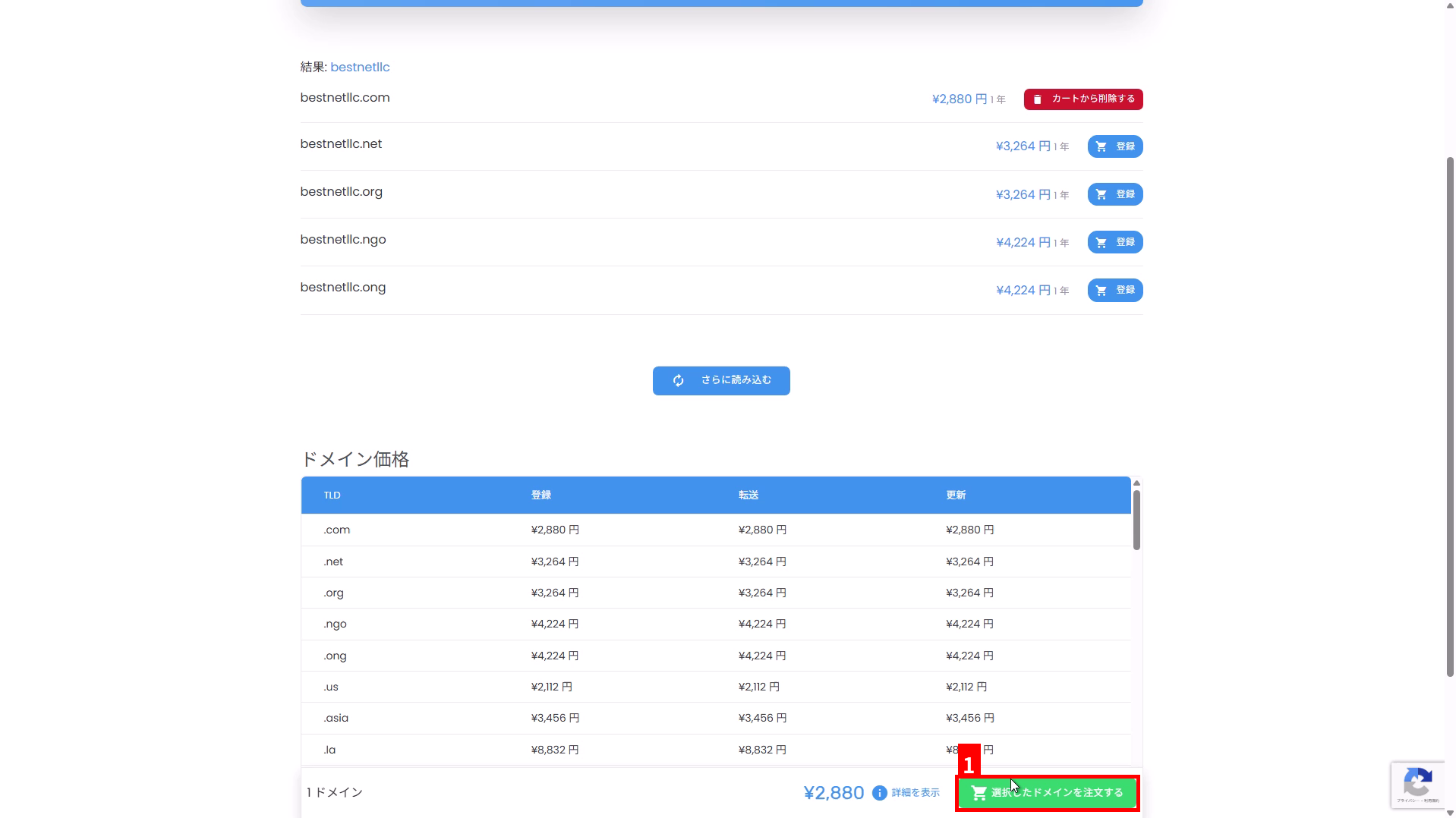
4Click “Order Selected Domain” #
Click “Order Selected Domain” displayed at the bottom right of the screen (①).
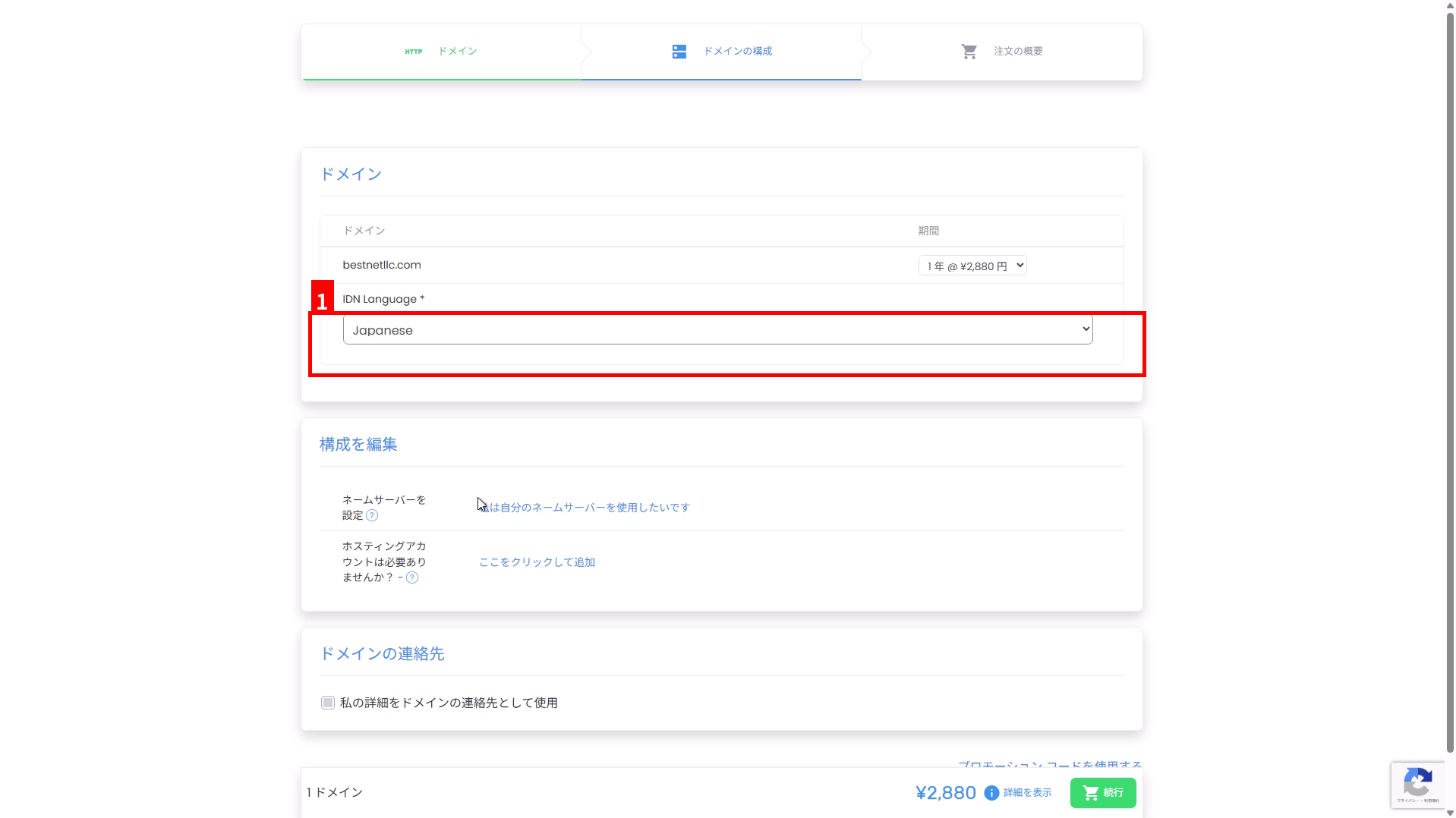
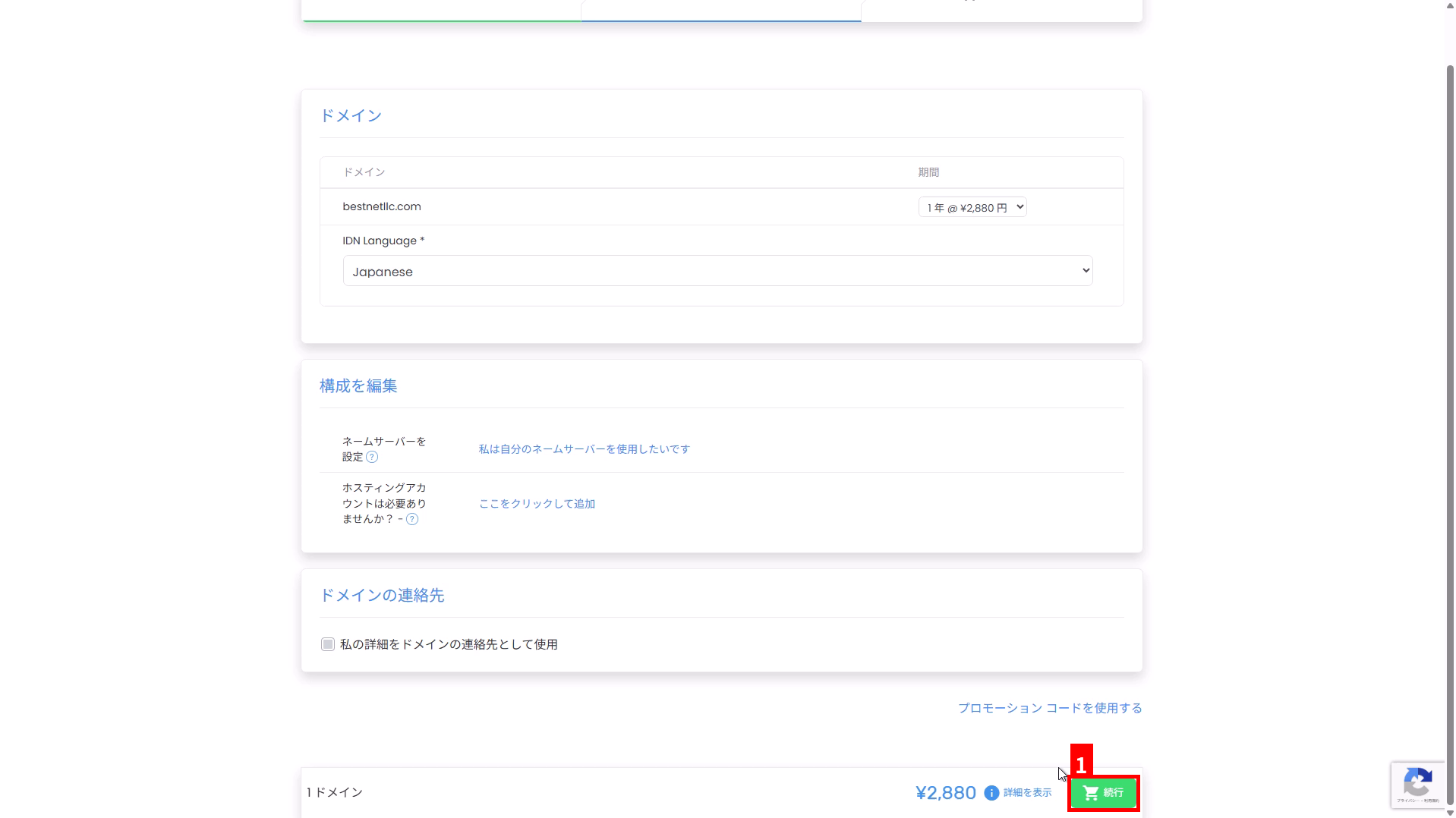
5验证并配置域名设置 #
在”域名配置”页面上,验证注册期限、IDN 设置、名称服务器、联系信息和其他设置。
- 期限:选择您所需的注册期限,例如 1 年。
- IDN 语言:如果您要注册 IDN,例如日语域名(如
例え.テスト),请选择目标语言(①)。如果您只注册字母数字域名,通常无需更改。 - 名称服务器:如果您想使用自己的名称服务器,请从”我想使用自己的名称服务器”进行配置。
- 域名联系人:即使使用”使用我的详细信息作为域名联系人”,也请验证用作注册信息的姓名、地址、公司名称和其他信息是否为英文(字母数字字符)。
6点击”继续”前往订单摘要 #
配置完成后,点击页面右下角的“继续”(①)。
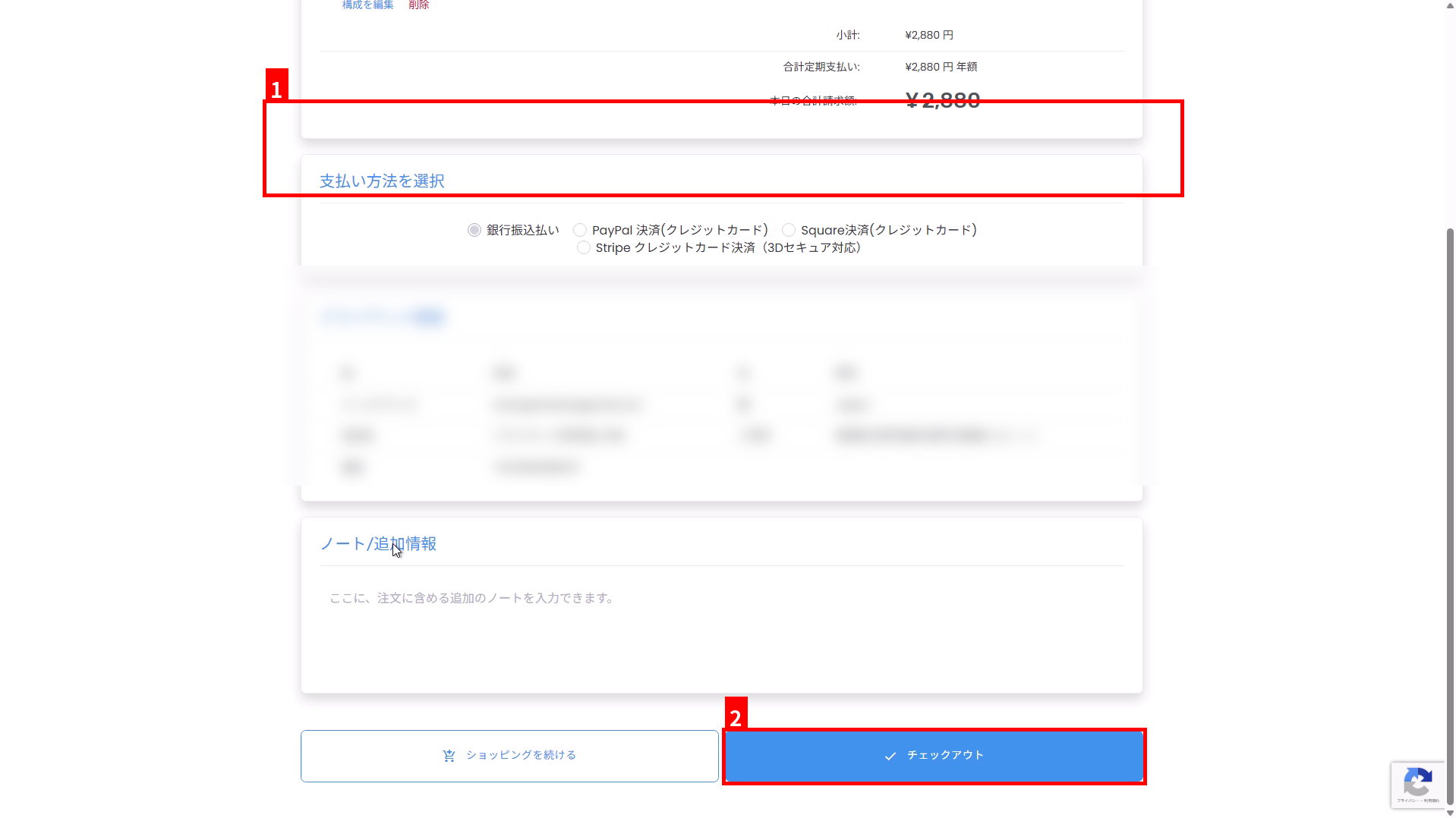
7验证付款方式和客户信息,然后进行结账 #
- 在”选择付款方式”中选择您首选的付款方式(①)。
- 验证”客户信息”中显示的姓名、地址和其他信息是否为英文(字母数字字符)。如果信息为日语,请在结账前将您的账户信息(联系信息)更新为英文。
- 点击页面底部的”结账”(②)。
付款(发票)确认 #
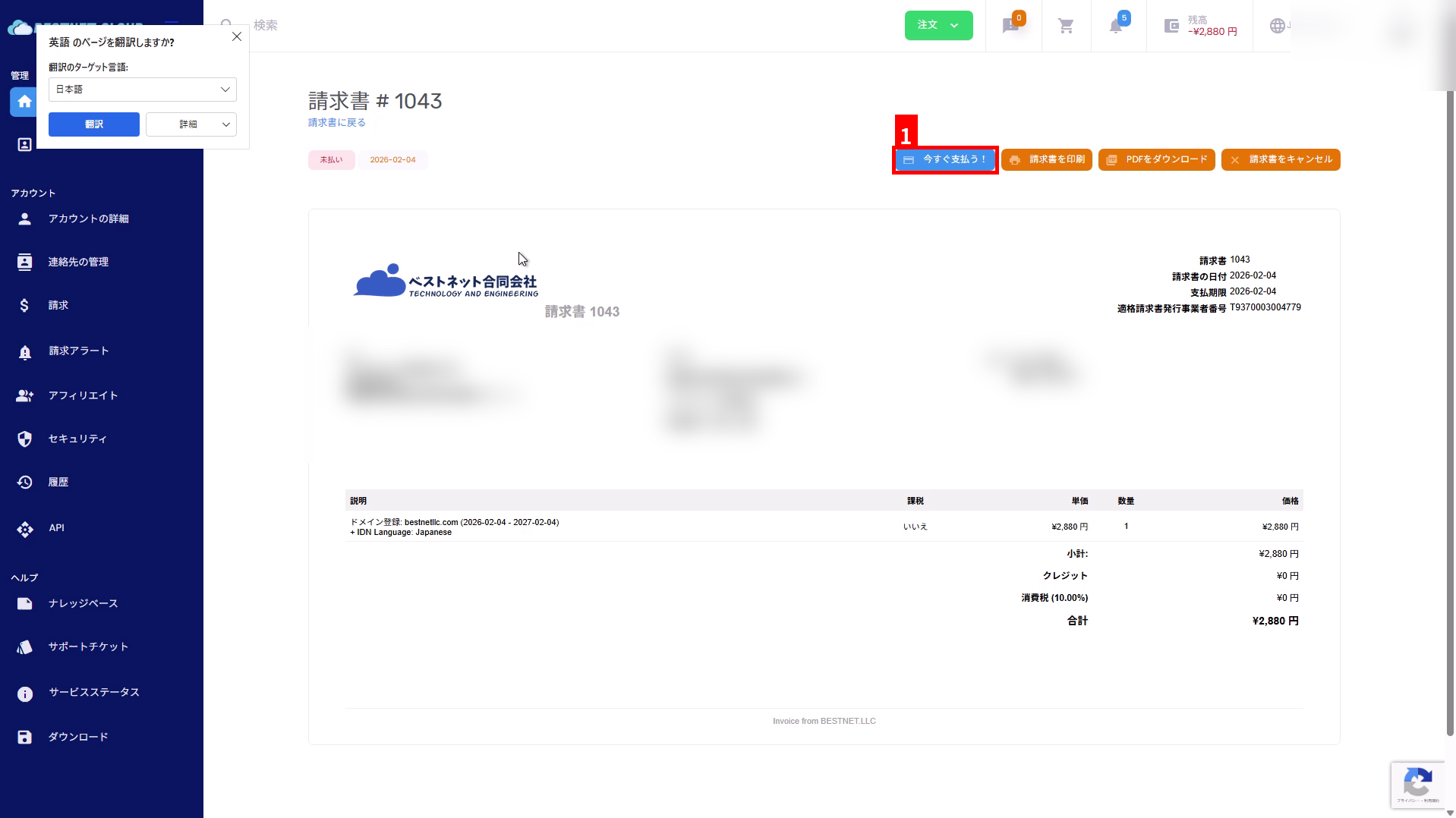
8验证发票并点击”立即付款!” #
结账后,将会生成发票。 在发票页面上,点击“立即付款!”(①)。
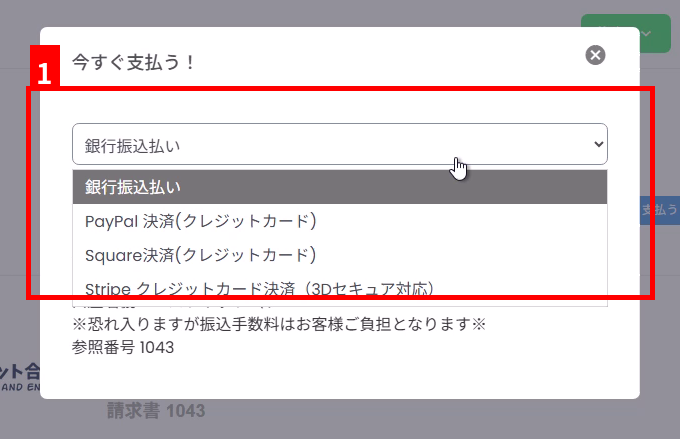
9选择付款方式并按照说明进行付款 #
在显示的模态窗口中选择您的付款方式(①)。 如果是银行转账,请验证屏幕上显示的银行账户信息和参考号码,并转账到指定账户。
申请后确认 #
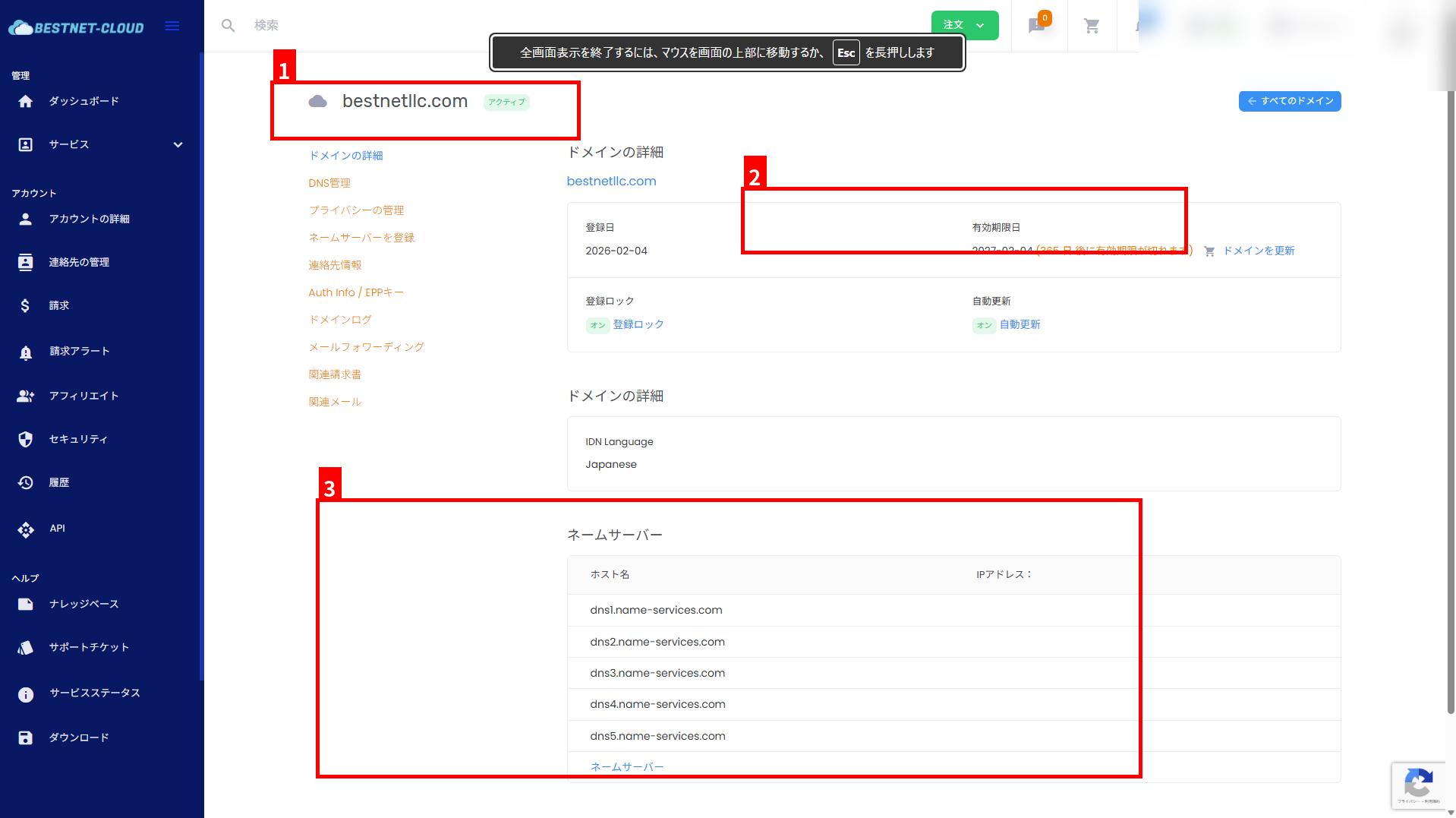
10验证域名已激活 #
付款和处理完成后,在域名管理屏幕中验证状态、过期日期和名称服务器设置。
- 验证域名和状态(例如,激活)(①)。
- 验证过期日期(续订截止日期)(②)。
- Verify that the name server settings are as expected (③).
Common Points to Note #
- Contact information must be in English: If the registrant information contains Japanese characters, registration may fail due to registrar requirements. Always verify English spelling before ordering.
- Status not updated until payment is complete: For bank transfers, the status may take time to update because it is processed after deposit confirmation.
- Domain already acquired: Domains that have already been registered cannot be registered again. Please consider a different TLD or domain name.


