
Domain Registration Guide
This guide explains the procedure for registering a new domain through the client portal. The screens shown are examples.
Overview #
This guide explains the procedure for registering a new domain through the client portal. When applying, please enter your name, address, company name, and other information in the order screen and domain registration information in English (alphanumeric characters).
Preparation #
- You are logged in to the client portal
- You have decided on the domain name you want to acquire (e.g.,
example.com) - Prepare to enter contact information (name, address, company name, etc.) during checkout in English (alphanumeric characters)
Important
The registrant information (WHOIS / Registrant) entered in “Client Information” or “Domain Contact” on the order screen must be written in English (Romanized, alphanumeric characters).
If you register with Japanese characters, registration may fail due to registrar requirements.
Input Examples
- Name:
Taro Suzuki - Address:
1-1-1 Otemachi, Chiyoda-ku - City:
Tokyo/ State:Tokyo/ Postal Code:100-0004 - Country:
Japan
Domain Registration Procedure #
1Open the domain search screen #
From the “Domain” menu in the client portal, open “Bulk Domain Search”.
2Enter your desired domain name and search #
- Enter the domain name you want to acquire in the search field (e.g.,
example.com). - Click “Search” (①).
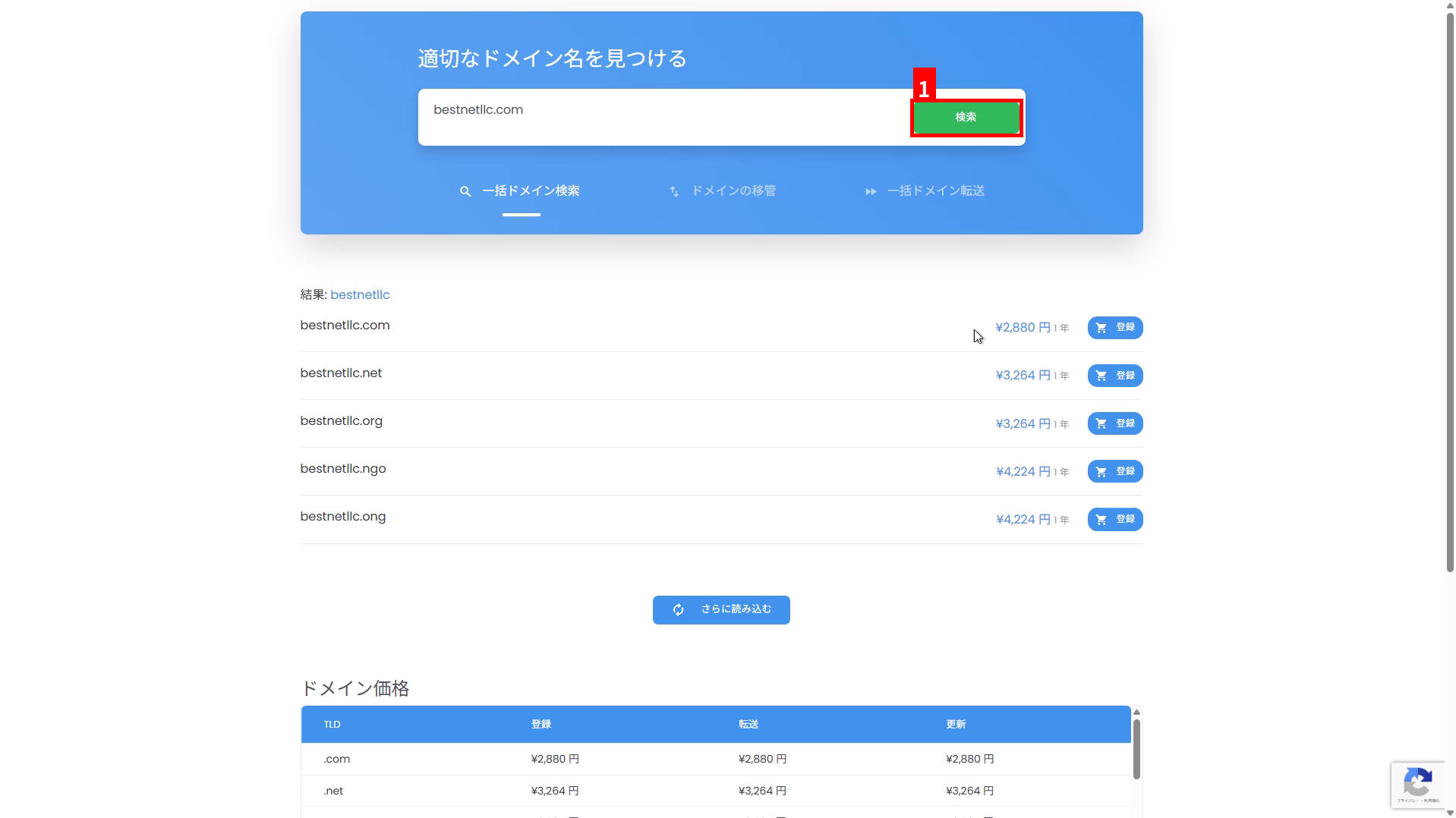
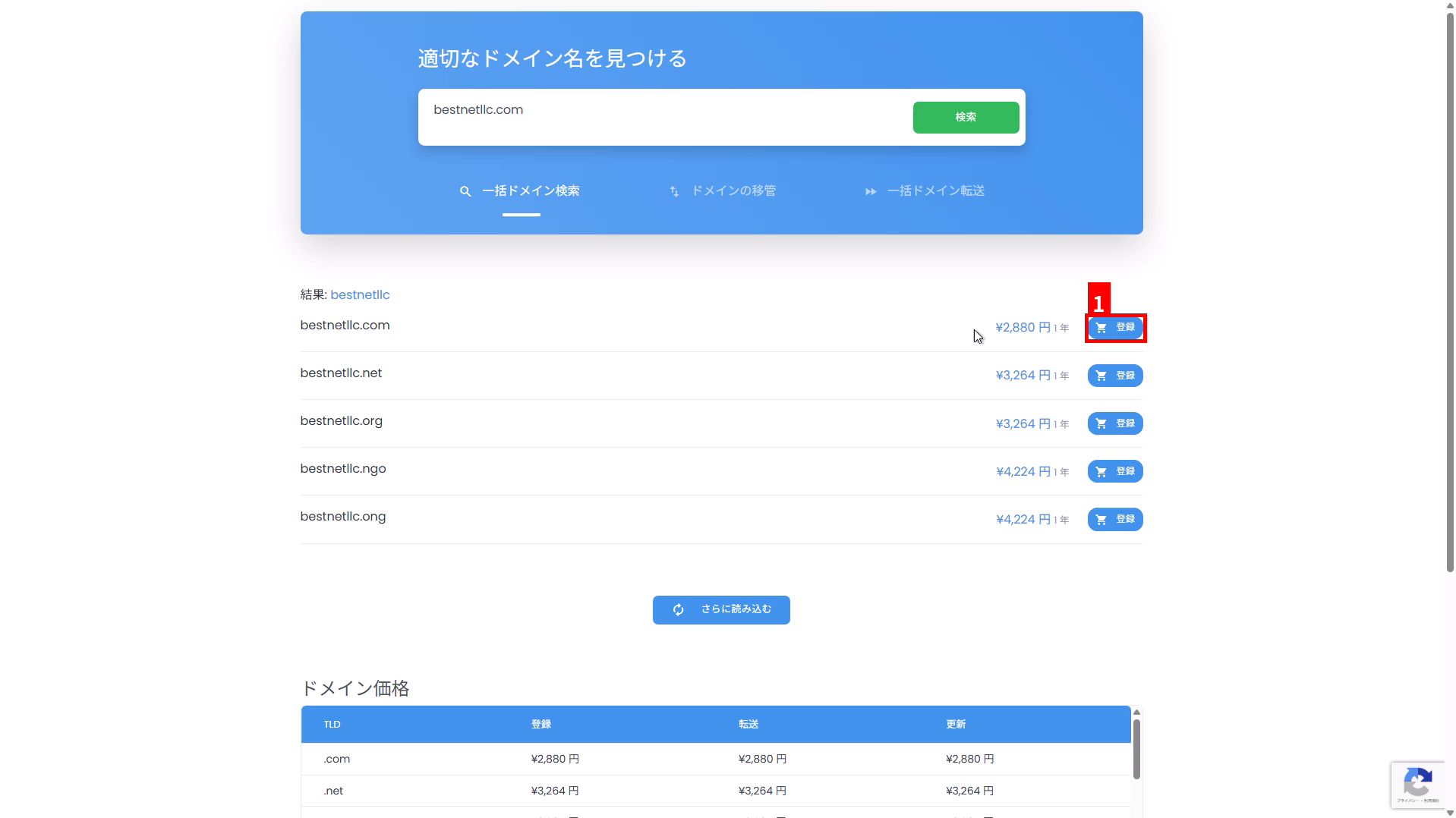
3Select your desired TLD from the search results and click “Register” #
- Select the domain (TLD) you want to acquire from the candidates displayed in the search results.
- Click “Register” in the corresponding row (①).
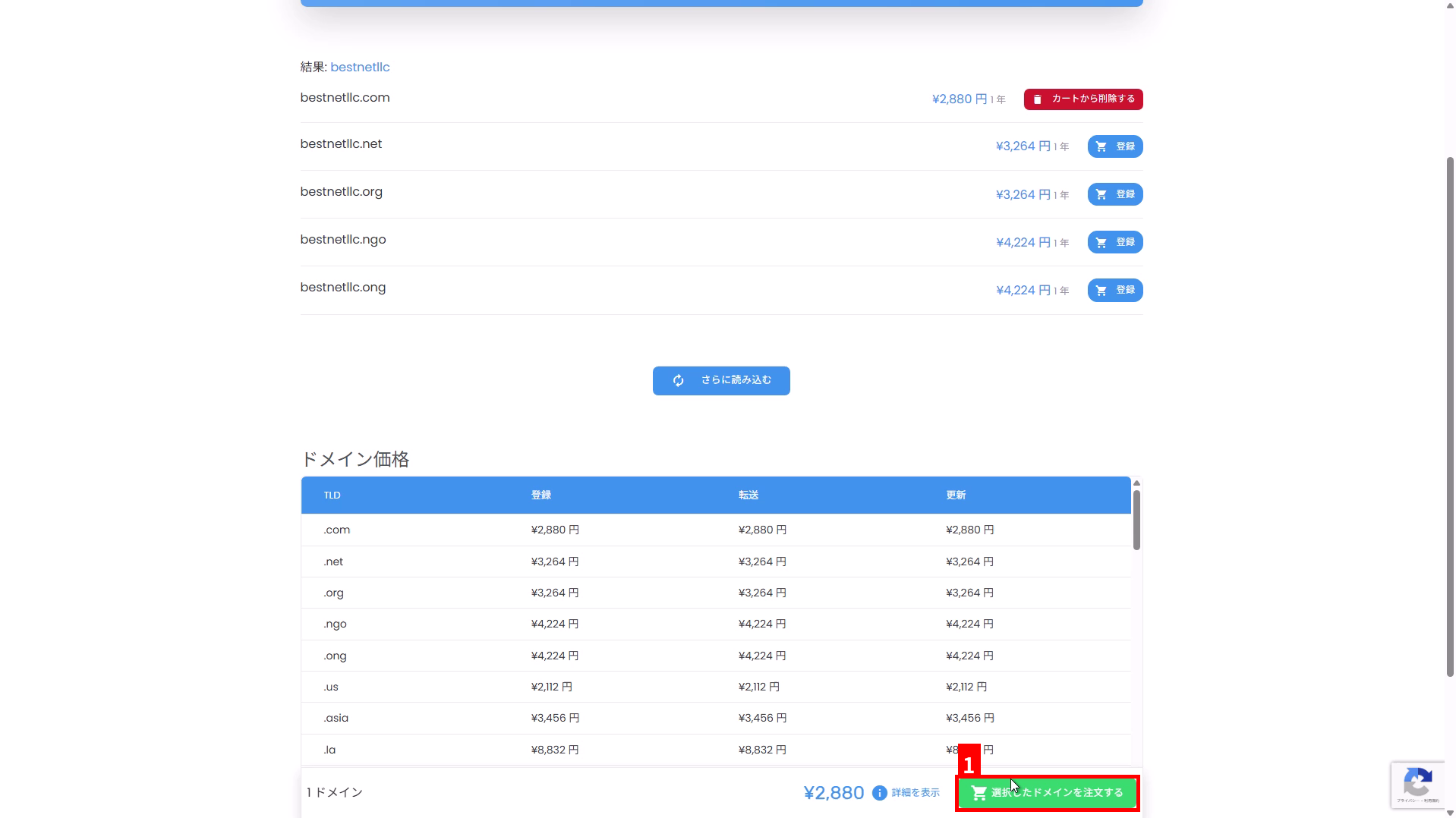
4Click “Order Selected Domain” #
Click “Order Selected Domain” displayed at the bottom right of the screen (①).
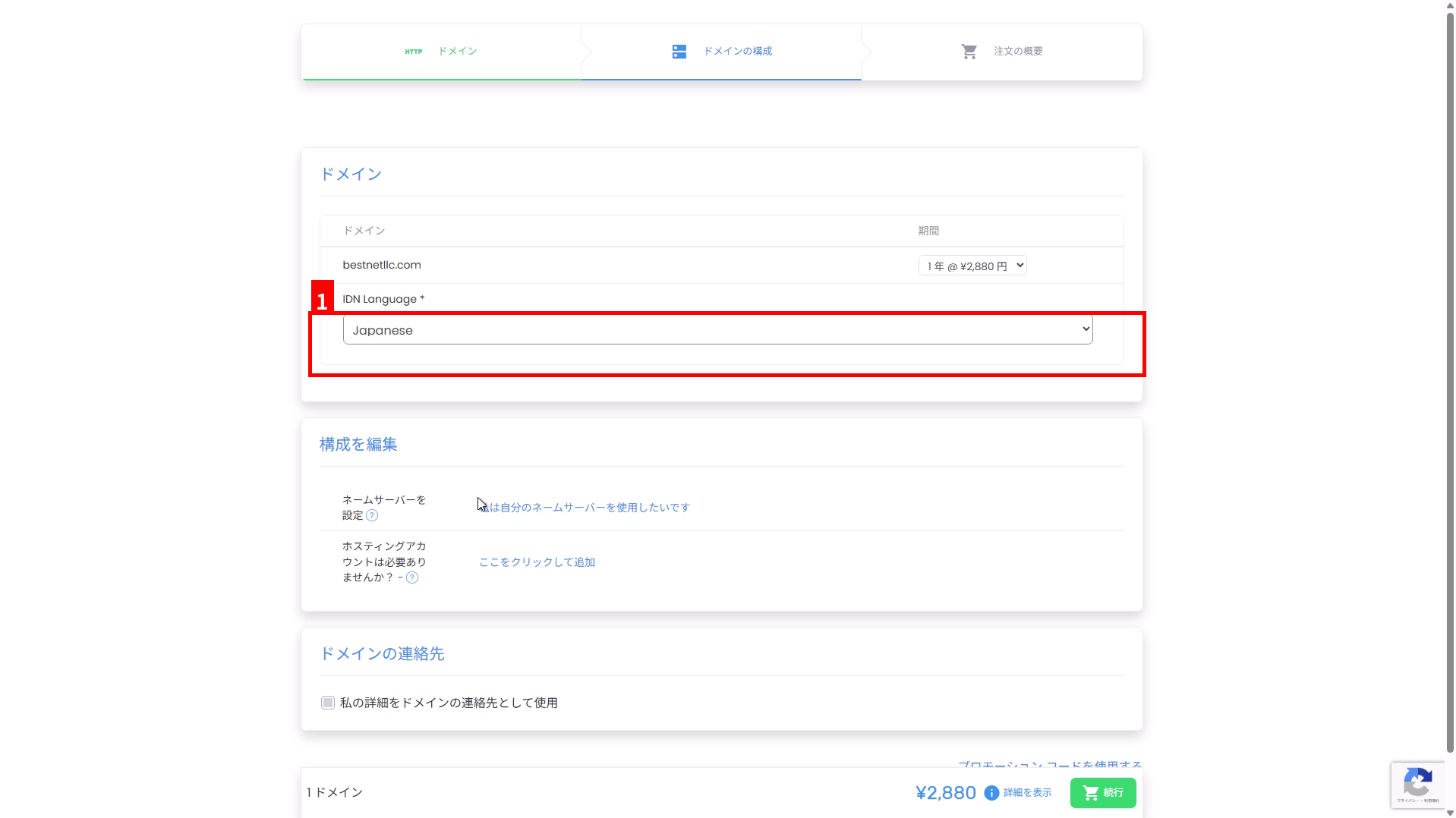
5डोमेन सेटअप को सत्यापित और कॉन्फ़िगर करें #
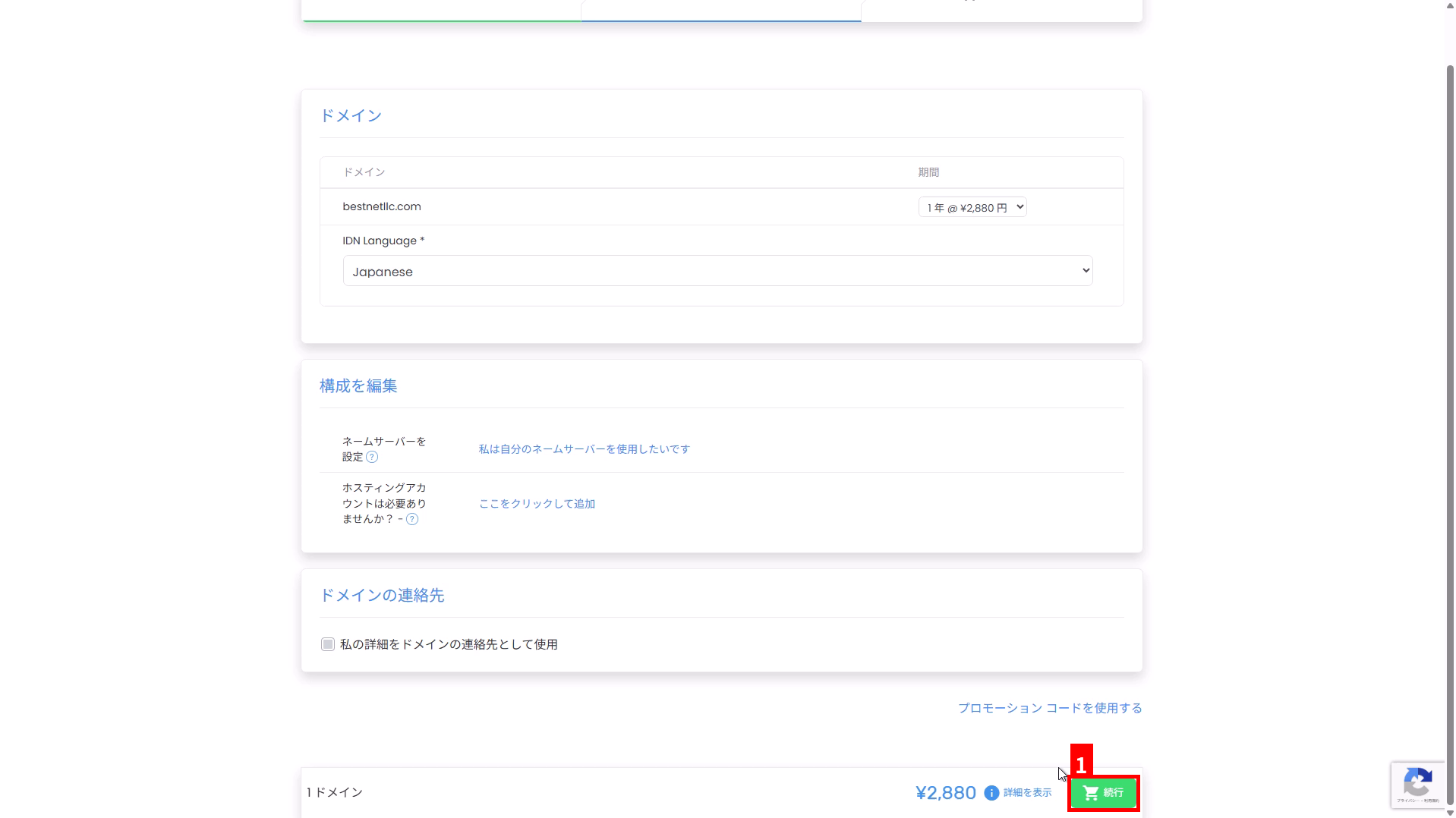
“डोमेन कॉन्फ़िगरेशन” स्क्रीन पर, पंजीकरण अवधि, IDN सेटिंग्स, नेम सर्वर, संपर्क जानकारी, और अन्य सेटिंग्स को सत्यापित करें।
- अवधि: अपनी इच्छित पंजीकरण अवधि का चयन करें, जैसे 1 वर्ष।
- IDN भाषा: यदि आप एक IDN जैसे जापानी डोमेन (उदाहरण के लिए,
例え.テスト) पंजीकृत कर रहे हैं, तो लक्ष्य भाषा का चयन करें (①)। यदि आप केवल अल्फ़ान्यूमेरिक डोमेन पंजीकृत कर रहे हैं, तो आमतौर पर कोई बदलाव आवश्यक नहीं है। - नेम सर्वर: यदि आप अपना खुद का नेम सर्वर उपयोग करना चाहते हैं, तो “मैं अपना खुद का नेम सर्वर उपयोग करना चाहता हूं” से इसे कॉन्फ़िगर करें।
- डोमेन संपर्क: भले ही आप “डोमेन संपर्क के रूप में मेरी जानकारी का उपयोग करें” का उपयोग करते हों, सत्यापित करें कि पंजीकरण जानकारी के रूप में उपयोग किए गए नाम, पते, कंपनी के नाम, और अन्य जानकारी अंग्रेजी (अल्फ़ान्यूमेरिक वर्ण) में है।
6ऑर्डर सारांश पर जाने के लिए “जारी रखें” पर क्लिक करें #
एक बार आपकी कॉन्फ़िगरेशन पूर्ण हो जाने पर, स्क्रीन के निचले दाईं ओर “जारी रखें” पर क्लिक करें (①)।
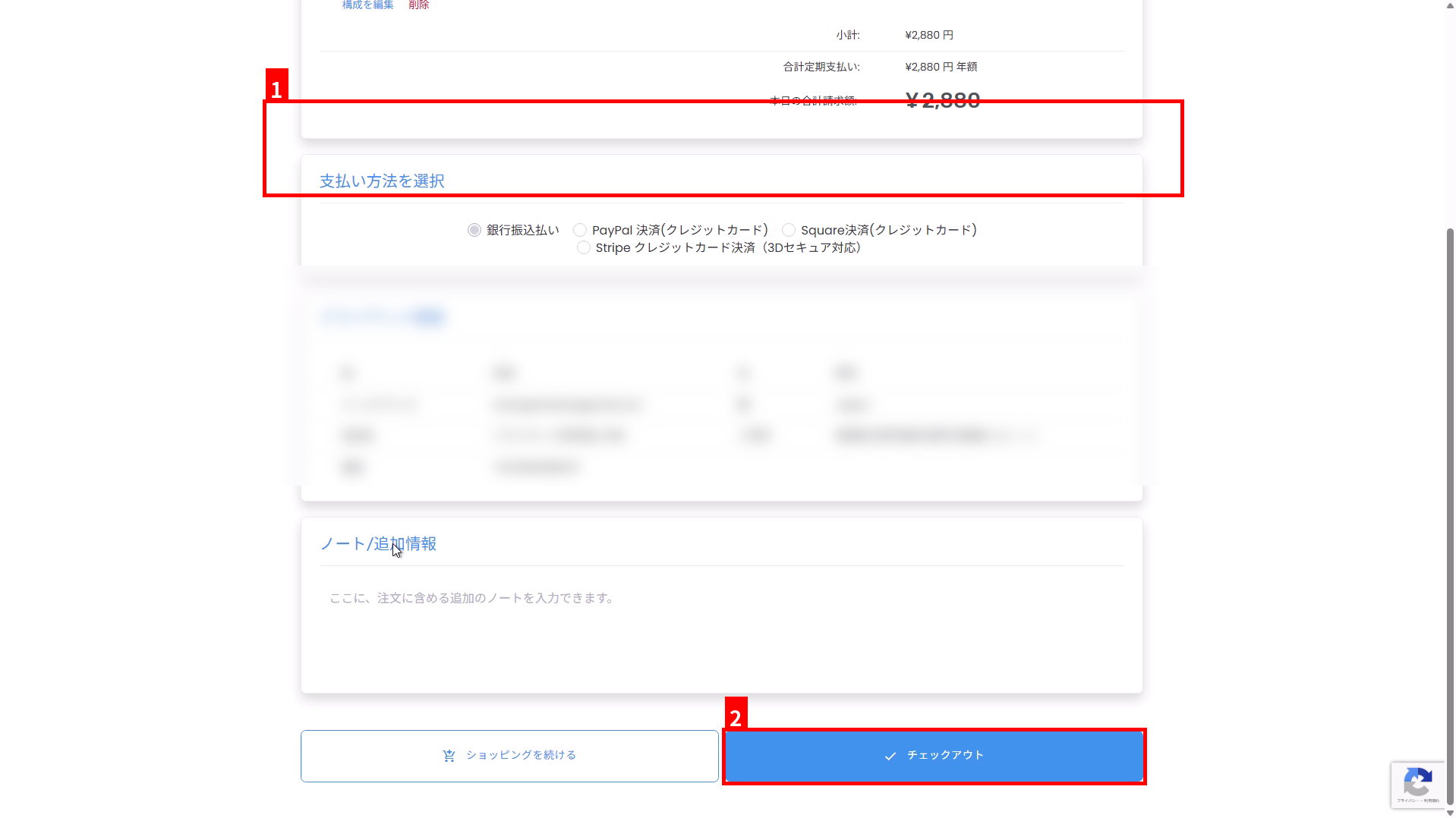
7भुगतान विधि और क्लाइंट जानकारी को सत्यापित करें, फिर चेकआउट पर जाएं #
- “भुगतान विधि चुनें” में अपनी पसंदीदा भुगतान विधि का चयन करें (①)।
- सत्यापित करें कि “क्लाइंट जानकारी” में प्रदर्शित नाम, पता, और अन्य जानकारी अंग्रेजी (अल्फ़ान्यूमेरिक वर्ण) में है। यदि जानकारी जापानी में है, तो कृपया चेकआउट से पहले अपनी खाता जानकारी (संपर्क जानकारी) को अंग्रेजी में अपडेट करें।
- स्क्रीन के निचले भाग में “चेकआउट” पर क्लिक करें (②)।
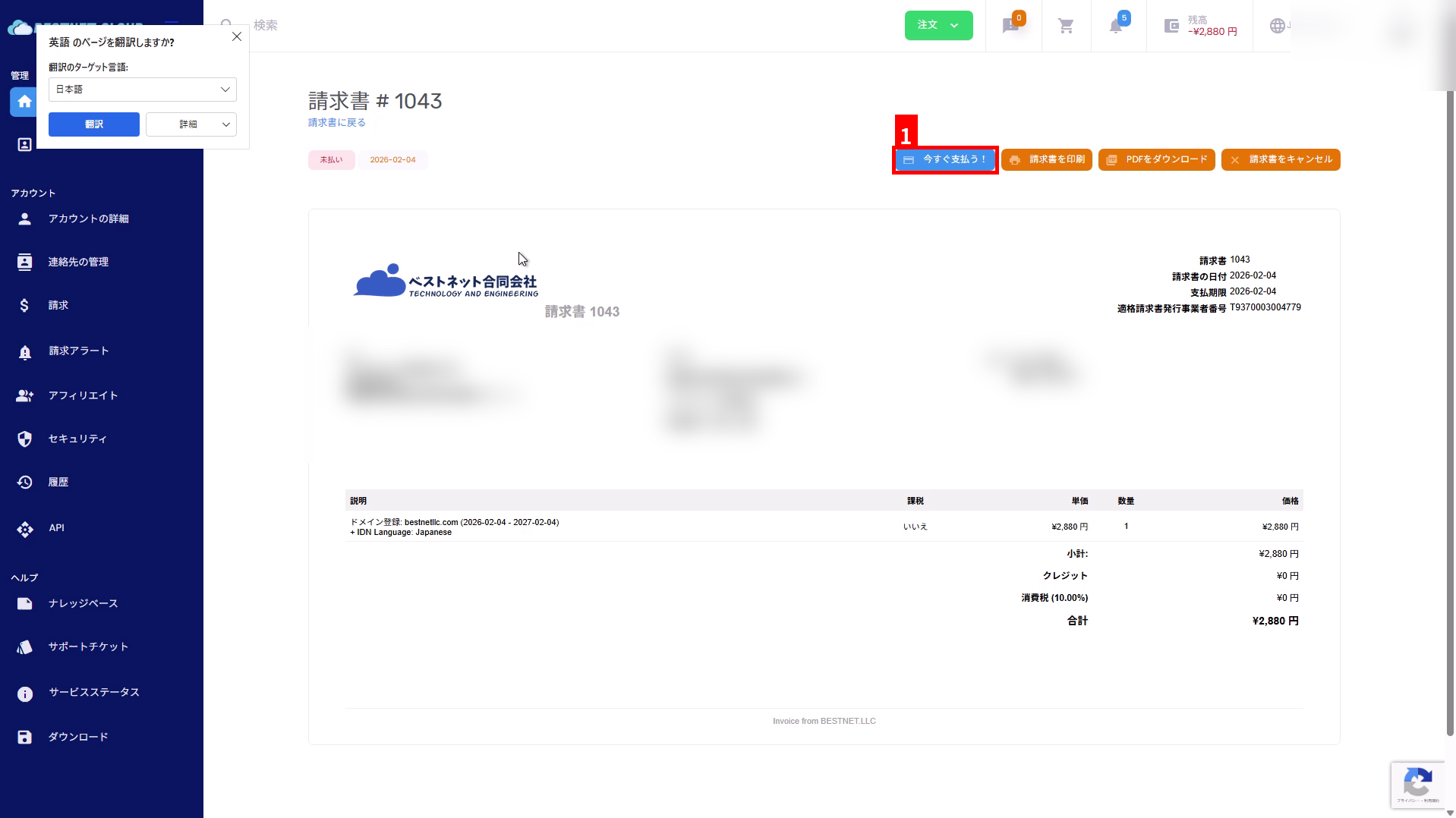
भुगतान (इनवॉइस) पुष्टि #
8इनवॉइस को सत्यापित करें और “अभी भुगतान करें!” पर क्लिक करें #
चेकआउट के बाद, एक इनवॉइस जारी की जाएगी। इनवॉइस स्क्रीन पर, “अभी भुगतान करें!” (①) पर क्लिक करें।
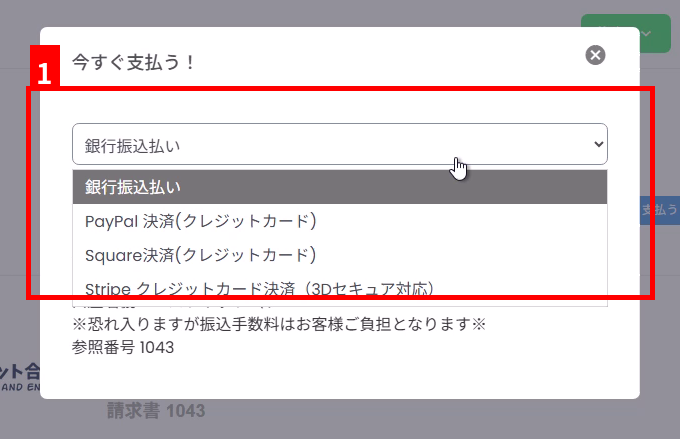
9Select a payment method and follow the instructions to pay #
Select your payment method in the displayed modal (①). For bank transfer, verify the bank account information and reference number displayed on the screen and transfer to the specified account.
Confirmation After Application #
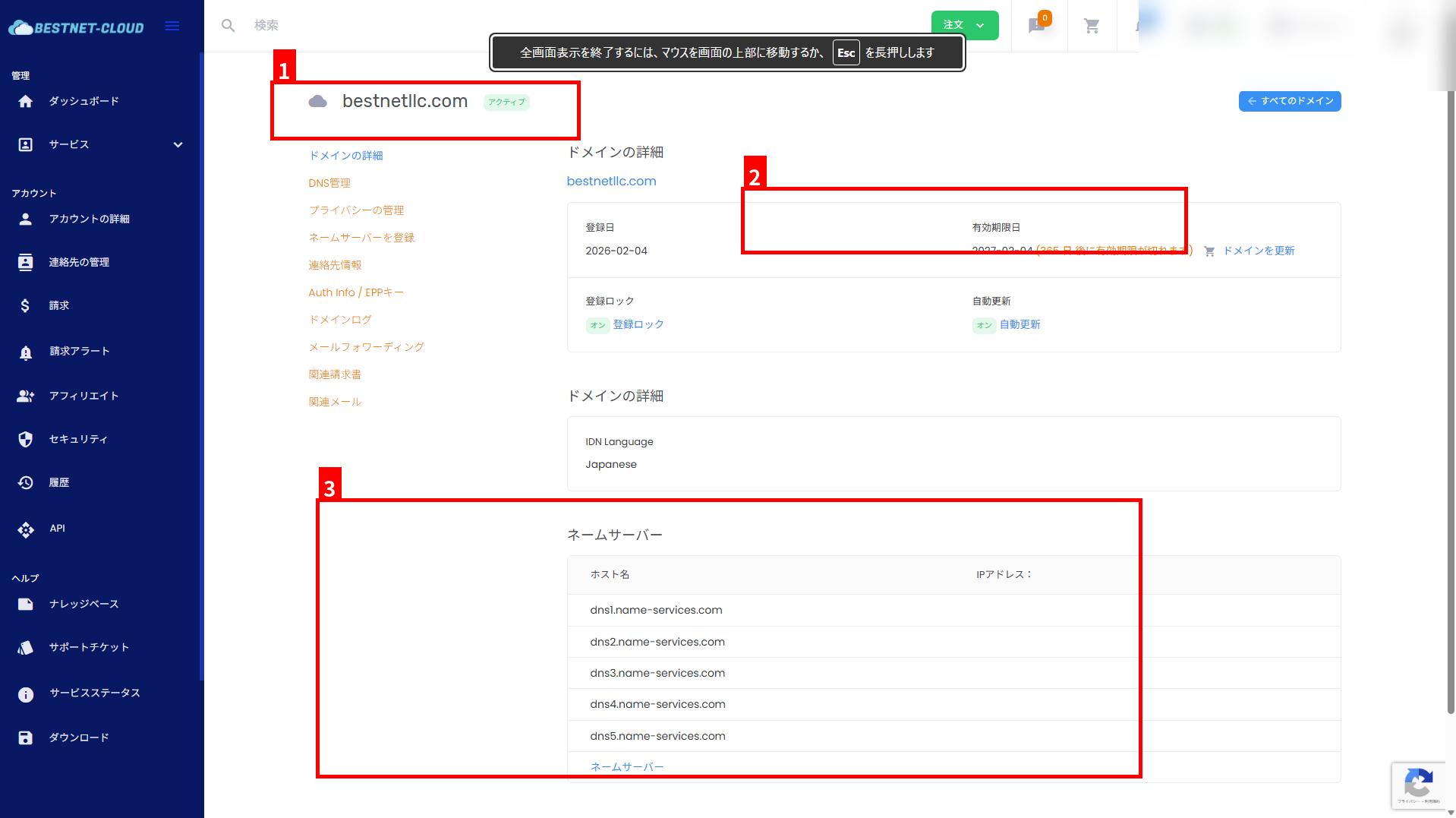
10Verify that the domain is active #
After payment and processing are complete, verify the status, expiration date, and name server settings in the domain management screen.
- Verify the domain name and status (e.g., Active) (①).
- Verify the expiration date (renewal deadline) (②).
- Verify that the name server settings are as expected (③).
Common Points to Note #
- Contact information must be in English: If the registrant information contains Japanese characters, registration may fail due to registrar requirements. Always verify English spelling before ordering.
- Status not updated until payment is complete: For bank transfers, the status may take time to update because it is processed after deposit confirmation.
- Domain already acquired: Domains that have already been registered cannot be registered again. Please consider a different TLD or domain name.


